For parents
What you see about your child, how to book sessions and message the teacher, and what you are emailed about.
Your account
The teacher sends you an invitation link, good for 14 days and one person. Open it: create a parent account, or sign in to the one you have and press Add to my children. One account can follow several children, in several groups.
What you see
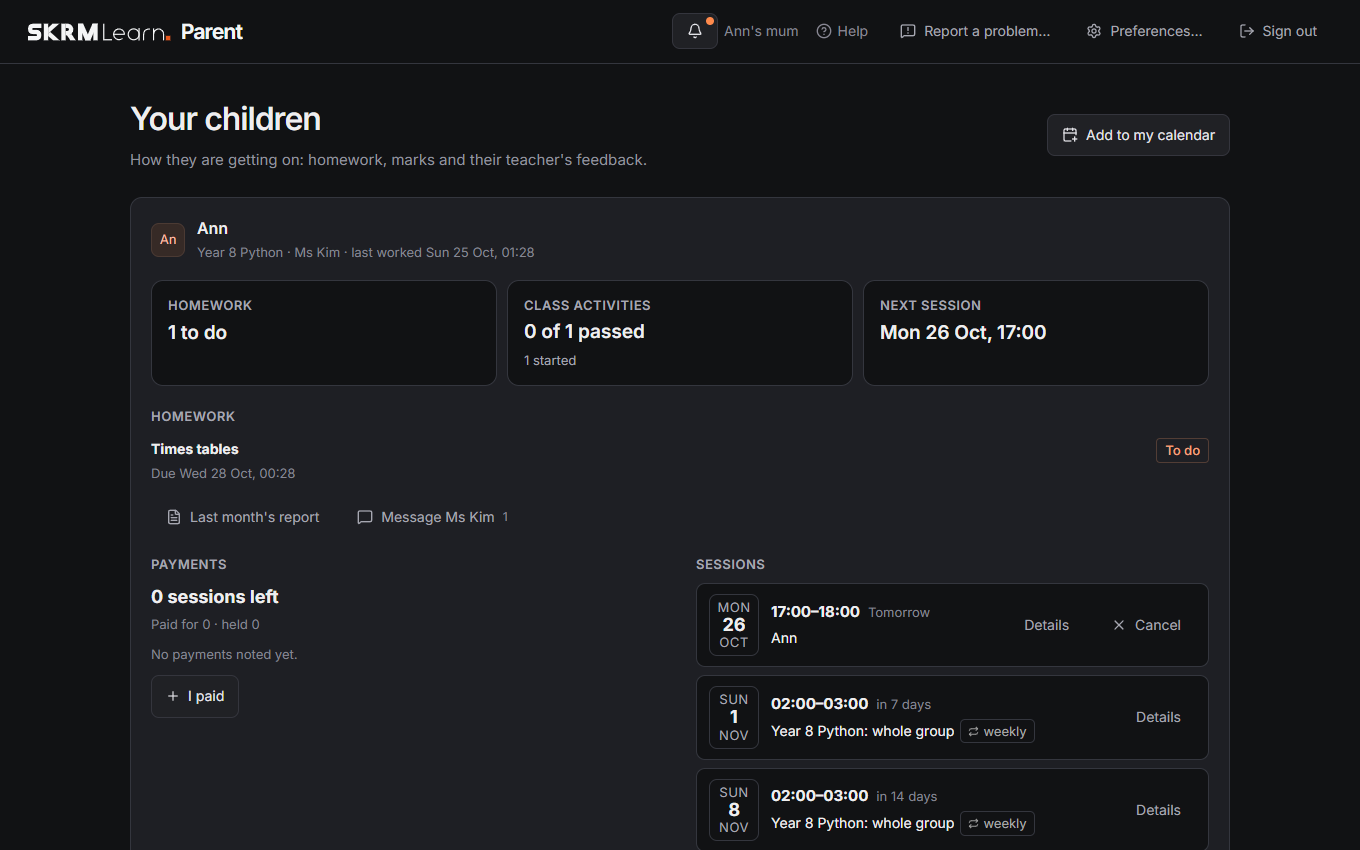
Your home shows each child in each group: their class activities (started, every test passed), homework with its due date, state and the teacher's mark and feedback, upcoming sessions, and payments. You don't see the classroom, boards or other students.
Monthly report
On the 1st of each month you get an email about your child's last month: sessions, homework and marks, activities, quizzes and how they do by topic. Last month's report on your page shows the same at any time. Switch the email off under Preferences › Account › Email.
Booking sessions
Book a session opens the teacher's calendar: days coloured by how booked they are, and a day's free times to Book for your child. You can cancel your own bookings up to the hours the teacher set; after that, message the teacher. Add to my calendar gives an address for your calendar app to follow, so the sessions appear there.
The bell at the top tells you when the teacher accepts or declines a booking, moves, cancels or adds a session, and when a time you waited for is free (Book it there). Cancelled sessions are also emailed, if you want session emails (Preferences).
Messages
Message with the teacher's name ("Message Ms Rivera"), under each child, opens a conversation that every linked parent of that child shares with the teacher. Enter sends; the paperclip adds a picture or file.
Past sessions
Past sessions under each child lists the sessions that took place, with the teacher's note and whether your child came. Its line says how many they came to, missed or were excused from, once the teacher has marked them.
Payments
Note a payment for sessions (how many, when); the teacher confirms it, and the sessions left are shown.
Emails
With an email address under Preferences › Account › Email, you are emailed about a session tomorrow, new homework for your child and a message you haven't read for a while. Tick or untick each under Email me about. Every email says how to change this.
Your data
Preferences › Your data: Download my data gives a copy of what SKRM Learn holds about your account; Delete my account… removes it. A parent account with no child linked any more is deleted after a year without signing in; if you added an email address, you are told 30 days before.