Messages
Conversations inside SKRM Learn, on the Messages page and in a floating window on every other page.
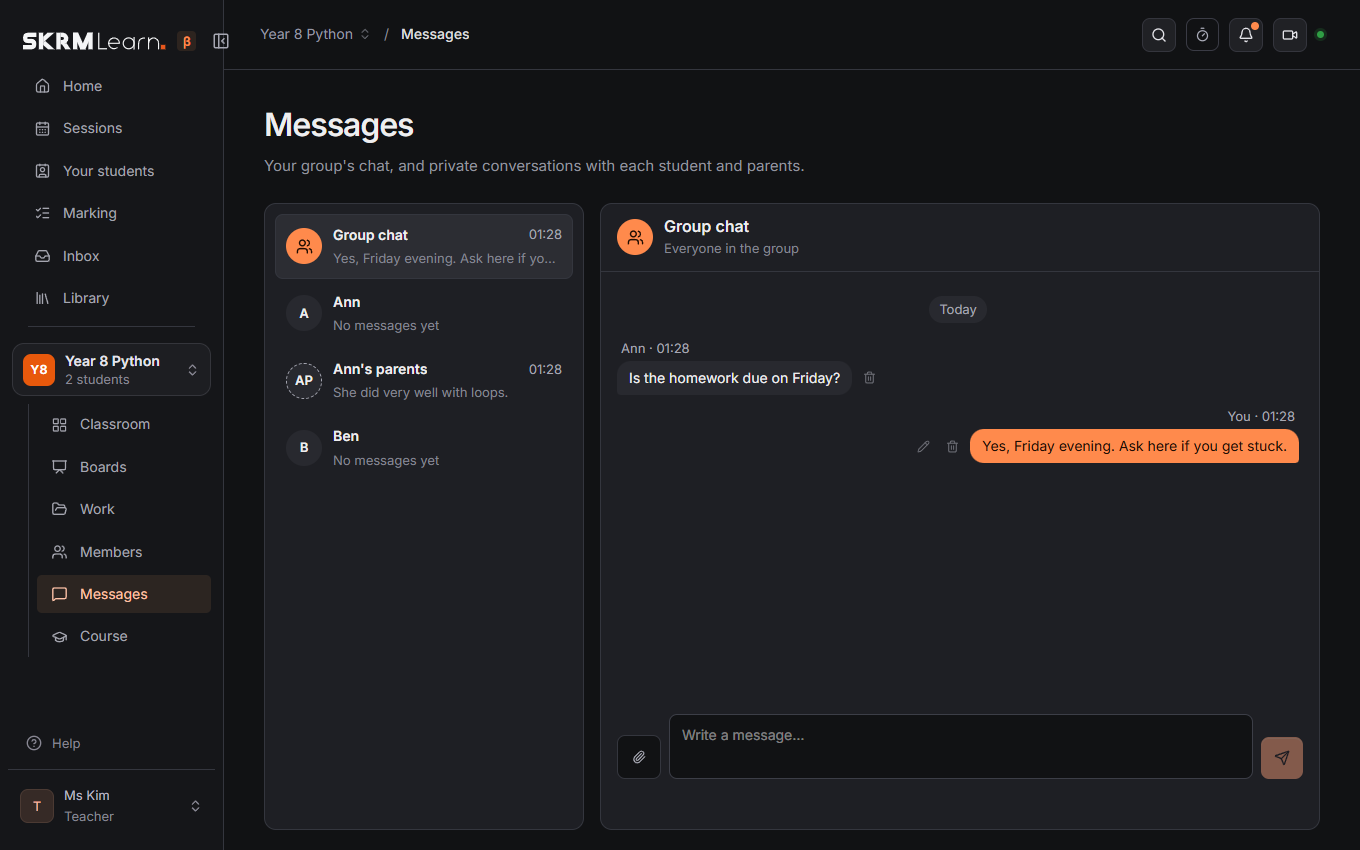
Conversations
- The group: the teacher and every student.
- Inbox (teachers, in the menu beside Marking): every group's conversations in one list, the latest first, with what is unread. Click one to answer it in its group's Messages.
- A student and the teacher, privately. Students don't message each other privately.
- A student's parents and the teacher: one conversation that every linked parent shares.
New messages arrive at once. The menu's Messages shows how many are unread.
Writing
Enter sends; Shift+Enter starts a new line. The paperclip adds a picture or file (up to 10 MB): pictures show in the conversation, other files can be downloaded. Your own messages can be changed (the pencil) or deleted (the bin); the teacher can delete any message in their group. Seen under your last message shows once the other side has read it.
The messages window
On any page of a group, Messages in the top bar opens the conversations in a small window beside the page, so you can write while teaching or coding. Move it by its title bar, resize it from its corner, fold it to the title bar, or close it with ×. It stays where you left it, on every page. Dock (beside the fold arrow) puts it in a column at the right edge, with the page beside it, so it covers nothing.
Emails
A message nobody has read after 15 minutes is emailed to the people it was for (the teacher; in the parents' conversation also the parents), once per conversation. Switch this off under Preferences › Account › Email.
Next: Sessions · For parents